chrome
youtube
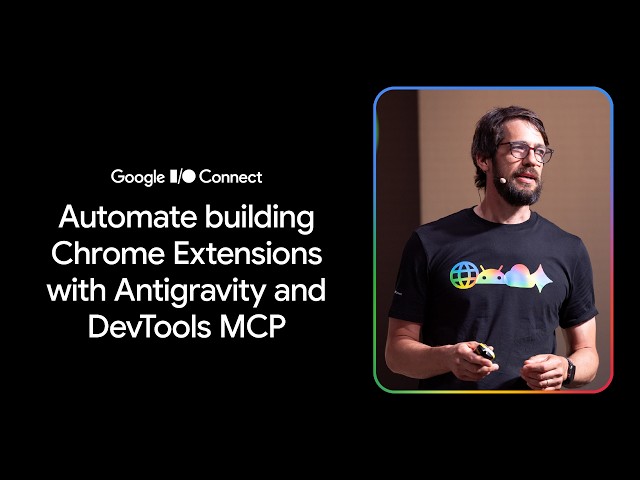 Ever wished a website or your browser worked a little differently? That's what Chrome Extensions are for - and building one is more accessible than you think. Watch this workshop from Sebastian Benz, to go from idea to a ready to publish extension, using Antigravity as your coding agent. We'll pair it with our new Chrome Extensions Skill and Chrome DevTools for agents to automate building and debugging your extension - no prior experience required.
Chapters:
0:00 - Introduction
0:48 - Why build Chrome extensions now
1:55 - The best way to build a Chrome extension
4:15 - Use cases for Chrome extensions
8:31 - Workshop agenda
9:06 - Setting up the development environment
14:24 - Building and testing a "Hello World" extension
18:41 - Building a more complex Chrome extension
23:14 - Testing the extension in Chrome
25:17 - Preparing the extension for publication
28:34 - Making the extension even better
30:01 - Summary of automated extension building
33:34 - Conclusion
Resources:
Chrome DevTools overview →
Chrome Extensions overview →
Extensions and AI →
Watch more Chrome sessions from I/O Connect Berlin →
Subscribe to Chrome for Developers →
#ChromeForDevelopers #Chrome #ChromeExtensions #Antigravity #GoogleIOConnect #Developers
Event: Google I/O Connect Berlin 2026
Speaker: Sebastian Benz
Products Mentioned: Chrome, Antigravity, Chrome DevTools, Chrome Extensions
Ever wished a website or your browser worked a little differently? That's what Chrome Extensions are for - and building one is more accessible than you think. Watch this workshop from Sebastian Benz, to go from idea to a ready to publish extension, using Antigravity as your coding agent. We'll pair it with our new Chrome Extensions Skill and Chrome DevTools for agents to automate building and debugging your extension - no prior experience required.
Chapters:
0:00 - Introduction
0:48 - Why build Chrome extensions now
1:55 - The best way to build a Chrome extension
4:15 - Use cases for Chrome extensions
8:31 - Workshop agenda
9:06 - Setting up the development environment
14:24 - Building and testing a "Hello World" extension
18:41 - Building a more complex Chrome extension
23:14 - Testing the extension in Chrome
25:17 - Preparing the extension for publication
28:34 - Making the extension even better
30:01 - Summary of automated extension building
33:34 - Conclusion
Resources:
Chrome DevTools overview →
Chrome Extensions overview →
Extensions and AI →
Watch more Chrome sessions from I/O Connect Berlin →
Subscribe to Chrome for Developers →
#ChromeForDevelopers #Chrome #ChromeExtensions #Antigravity #GoogleIOConnect #Developers
Event: Google I/O Connect Berlin 2026
Speaker: Sebastian Benz
Products Mentioned: Chrome, Antigravity, Chrome DevTools, Chrome Extensions
|
2026/07/02
youtube